
Free AI Image Upscaler: Upscale Photos to 4K Online
Upscale JPG, PNG, or WebP photos to 4K online: choose an AI model, resolution and format, and AI rebuilds the image with cleaner, sharper detail.
Upload Your Image
Drag and drop your image here, or click to browse
Supports PNG, JPG, JPEG, WebP (max 5MB)

HOW IT WORKS
From small photo to high resolution in three steps
There is nothing to install: the tool works in any browser, and the images are processed on our servers. You bring the photo, the model rebuilds the detail.
- 01
Upload your photo
Drag a PNG, JPG or WebP file onto the panel, or click to browse. Files up to 5MB are accepted, and the less compressed the original, the more the model has to work with.
- 02
Pick a model and settings
Choose an AI model, then set the target resolution and format. The target resolution is the point of upscaling, so pick for the destination. The selector only lists combinations the current model supports, up to 4K on some models.
- 03
Upscale and download
Sign in and upscale. Most results are ready in 30 to 60 seconds. Compare before and after with the slider, then download the full-quality file.
SAMPLES
What upscaling actually adds
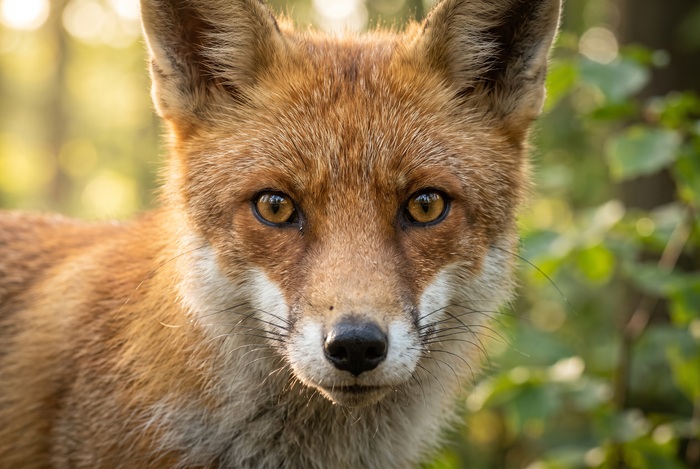
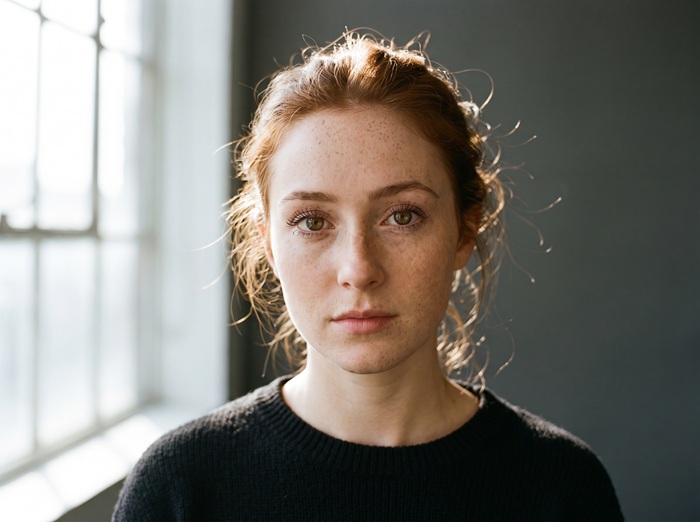
Drag the handle on each pair. Every after image was produced from the before image by the upscaling model, with no manual retouching.




FEATURES
What the upscaler does for you
Built on models from the FLUX, Nano Banana, GPT Image and Seedream families. You pick the settings, the tool handles the rest.
Detail reconstruction
The model rebuilds edges and texture at the target resolution instead of stretching pixels. Hair, fabric and fine texture gain definition.
A model for every enlargement
Some models reach the largest output sizes, some are balanced all-rounders, and some handle portraits well. Run the same photo through two models and keep the sharper one.
Output up to 4K
On the models that support it, upscaled output reaches 4K, enough for large displays and most print sizes. The selector only lists the resolutions the current model can produce.
Full-quality downloads
What you compare in the slider is the actual result. What you download is the same complete image at your chosen resolution, watermark free.
Pay per result, refunded on failure
The price of an upscale is shown in credits before you click. If a run fails on our side, the credits go back to your balance on their own.
Nothing to install
No app or plugin is needed. The page runs in any modern browser, and the upscaling itself happens on our servers.
ABOUT UPSCALING
What upscaling is, and what this tool does with it
Upscaling means turning a small image into a larger one. Any editor can do it: stretch the pixels and interpolate the gaps. The result is bigger but not clearer, because detail that was never captured cannot come out of nowhere. Blurry in, blurry out, just larger.
AI upscaling takes a different route. The model has seen millions of sharp photos, so it can make an educated guess about what the missing detail probably looked like: how hair strands separate, how brick texture repeats, how the edge of a printed letter should curve. It paints that guess into the larger image.
That guess is also the honest limit of the method. The added detail is plausible, not recovered truth. For photos of people, products, listings and everyday shots, the result usually looks natural at normal viewing distance. For forensic work or archival restoration, the only real fix is a better original.
This tool upscales your JPG, PNG, or WebP photo to 4K with a generative model instructed to hold the composition, colors and lighting steady while rebuilding the image at the resolution you pick. What you get back is the same photo, larger and cleaner, not a reinterpretation of it.
TIPS
Get cleaner results from your uploads
Small choices before and during upscaling make most of the difference.
- 01
Start with the least-compressed original
Photos saved from messaging apps and social feeds are recompressed and lose detail the model could have used. The file straight out of the camera or phone gives the best result.
- 02
Do not upscale an already sharpened image
Heavy sharpening or a previous AI upscale leaves halos and crunchy texture, and a second pass doubles them. Go back to the softest original you have.
- 03
Pick the size for the job
Web and social use rarely needs more than 2K. Prints and large displays justify 3K or 4K on the models that offer them, so set the target before you generate.
- 04
Check faces and small text at full size
Rebuilt detail is a plausible guess, and those two places are where a wrong guess shows first. Use the comparison slider and look closely before you download.
- 05
Expect less from motion blur and heavy noise
The model rebuilds softness from low resolution well, but streaked motion blur and heavy sensor noise give it less to work with. Results there are usable, not miraculous.
- 06
Change one setting at a time
Judge models one variable at a time: same photo, same resolution, same format, different model. Anything else muddies the comparison.
FAQ
Frequently asked questions
Which image formats can I upload?
PNG, JPG, JPEG and WebP, up to 5MB per file. For the result you can choose PNG or JPEG output; the exact options depend on the model. For upscaling in particular, use the original file rather than a screenshot, because recompressed images give the model less detail to rebuild.
How much does one upscale cost?
The credit cost of an upscale appears next to the Upscale Image button before you click, together with your remaining balance. New accounts receive free credits, and the daily check-in adds more — together they cover your first run.
What happens if an upscale fails?
When a failure is on our side, the credits for that upscale return to your balance automatically. You never need to ask for the refund.
Is AI upscaling the same as sharpening?
No. Sharpening increases contrast along edges that already exist, which is why over-sharpened photos get halos. Upscaling rebuilds the image at a higher resolution and invents plausible detail where the original had none. The two solve different problems.
Can it fix a blurry or out-of-focus photo?
It depends on the blur. Softness from low resolution or heavy compression improves the most. Motion blur and missed focus are harder, because the model has to invent more and the result can look painted. Try it and judge the preview at full size before downloading.
Will upscaling change what is in my photo?
The model is instructed to keep the composition, subjects, colors and lighting as they are, and to rebuild only detail. That said, the added detail is generated, so check faces, text and logos at full size before using the result anywhere important.
Does the downloaded image have a watermark?
No. The comparison view and the download are the same full-resolution file, and neither carries a watermark.
Are my uploaded photos private?
Uploaded photos are processed to deliver and improve the service and are not shown to other users or made public. Our Privacy Policy covers what we store and for how long.
Who owns the upscaled images?
Upscaled results belong to your account under our Terms of Service. The added detail is generated, so review faces, text and logos before relying on the image for a specific use.
Can I create NSFW or adult content on this site?
No. Generating or editing NSFW, sexually explicit, or adult content is strictly prohibited on this site, as stated in our Terms of Service. Accounts that violate this policy may be suspended or terminated.
UPSCALE MEMBERSHIP
Upscale in bulk without the checkout
A monthly allowance of credits keeps the upscale workflow going. It refills each period while the membership is active, and the balance is shared with every tool.
Membership
Recommended
Standard Membership
1,000credits/month
$4.99/month
≈ 333 images
≈ 35 flagship images
For weekly creators and side projects.
What's included
Fresh credits every period New credits land at the start of each billing period.
Credits last while you're a member Unused credits stay on your balance while the membership is active and expire when it ends.
Every tool, one balance Image and video tools draw from the same credit balance.
Commercial use included Generated images and videos are yours to use in commercial projects, within our terms.
8+ image models, 5+ video models Nano Banana, FLUX, GPT Image, Seedream, Seedance and more, all on the same balance.
Manage it from this page Upgrade or cancel right here, without emailing support.
No lock-in · cancel any time
Membership
Pro Membership
5,000credits/month
$19.99/month
≈ 1,666 images
≈ 178 flagship images
For daily image and video production.
What's included
Fresh credits every period New credits land at the start of each billing period.
Credits last while you're a member Unused credits stay on your balance while the membership is active and expire when it ends.
Every tool, one balance Image and video tools draw from the same credit balance.
Commercial use included Generated images and videos are yours to use in commercial projects, within our terms.
8+ image models, 5+ video models Nano Banana, FLUX, GPT Image, Seedream, Seedance and more, all on the same balance.
Manage it from this page Upgrade or cancel right here, without emailing support.
No lock-in · cancel any time
Credits stay valid while your membership is active; unused membership credits expire when the membership ends.
PRICING
Upscale more photos
Credits are shared across all tools, so the same balance covers every upscale. Buy a one-time pack or subscribe, and credits stay in your account while it is active.
One-time pack
Starter Pack
100credits
$1.99
≈ 33 images
≈ 3 flagship images
A quick test run.
One payment · never expires
One-time pack
Basic Pack
300credits
$4.99
≈ 100 images
≈ 10 flagship images
A week of thumbnails, touch-ups and short videos.
One payment · never expires
One-time pack
Most popular
Standard Pack
700credits
$9.99
≈ 233 images
≈ 25 flagship images
A full set of images for a launch, plus the videos that go with it.
One payment · never expires
One-time pack
Pro Pack
1,600credits
$19.99
≈ 533 images
≈ 57 flagship images
Batch season. Whole catalogs and the videos that sell them.
One payment · never expires