
AI Clothes Changer: Try Any Outfit on Your Photo Online
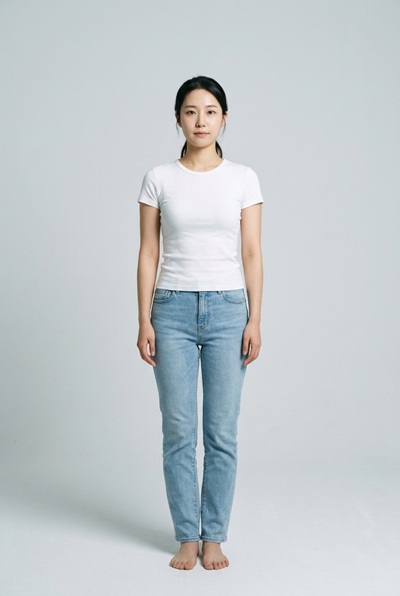
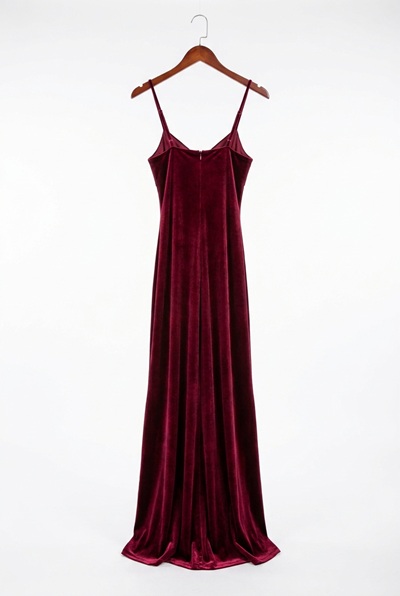
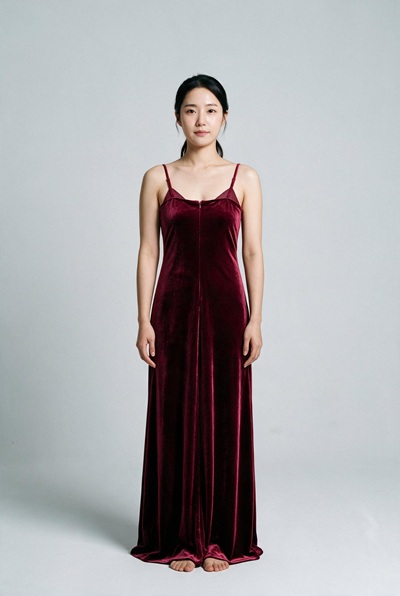
Try any outfit on your photo with our AI clothes changer, free and online: upload a photo of a person and a photo of an outfit, and the model dresses the person while keeping their face, pose and background as they were.
Upload Your Images
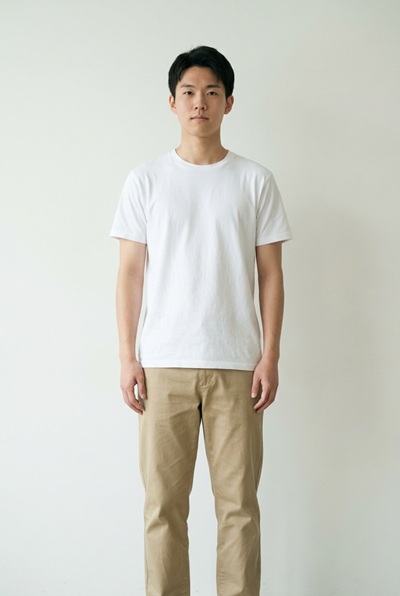
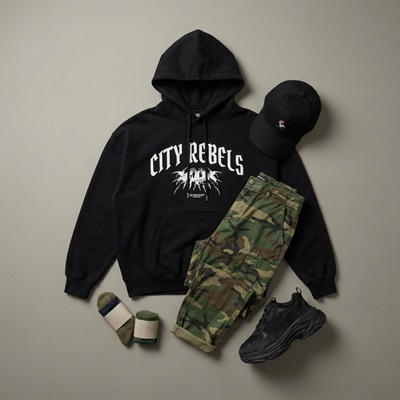
Photo 2 provides the outfit. Everything else comes from photo 1.
1. Person photo
Person and scene stay as they are
Drag and drop an image here, or click to browse
Supports PNG, JPG, JPEG, WebP (max 5MB)
2. Outfit photo
Only the outfit is taken
Drag and drop an image here, or click to browse
Supports PNG, JPG, JPEG, WebP (max 5MB)
HOW IT WORKS
From two photos to a new outfit in three steps
One photo provides the person, the other provides the clothes. The model handles the fitting.
- 01
Upload the person and the outfit
Add a photo of the person to the first slot and a photo that shows the garment to the second. PNG, JPG or WebP, up to 5MB per file. Clear, well-lit photos give the model more to work with.
- 02
Pick a model and settings
Choose an AI model, then set the output resolution and format. Garment texture benefits from the higher resolutions. The selector only lists combinations the current model supports, up to 4K on some models.
- 03
Generate and download
Sign in and generate. Most results are ready in 30 to 60 seconds. Compare the result with your original using the slider, then download the full-quality file.
SAMPLES
What an outfit change looks like
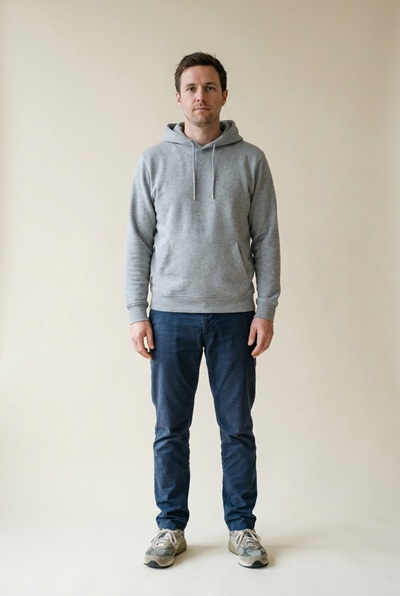
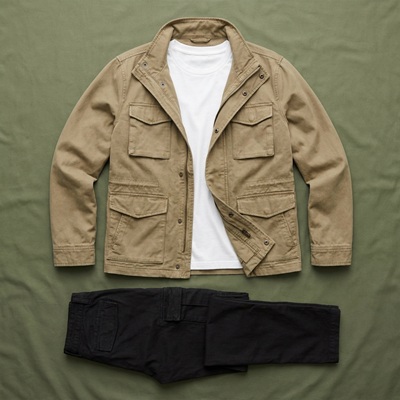
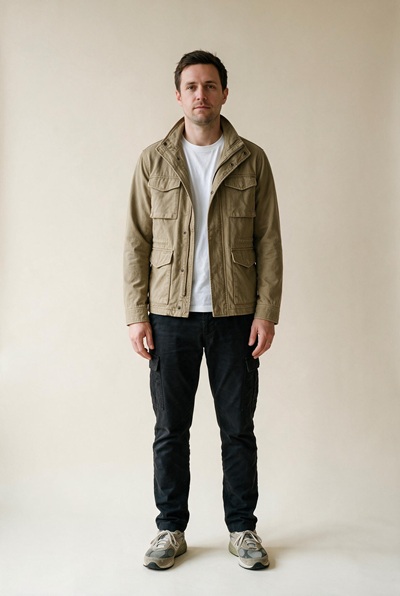
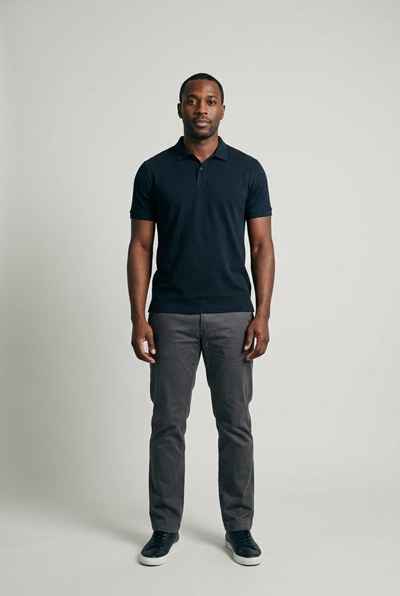
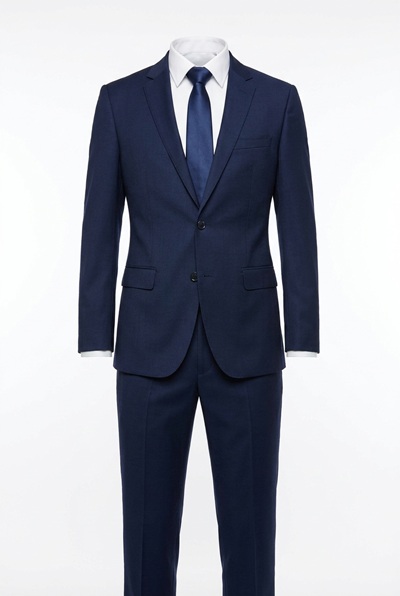
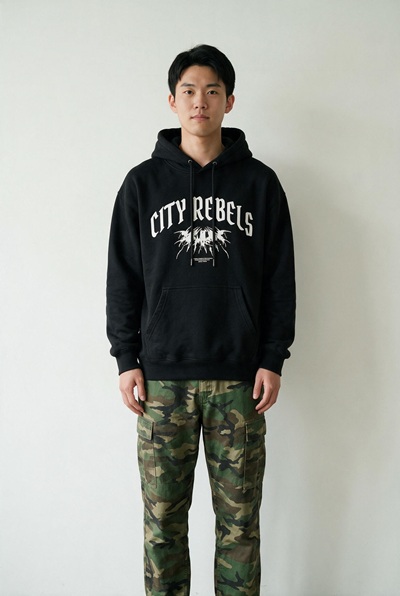
Every card shows the two photos that went in and the result that came out, with no manual retouching.
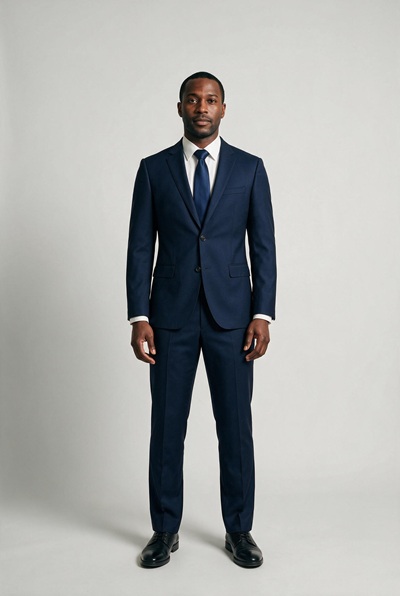
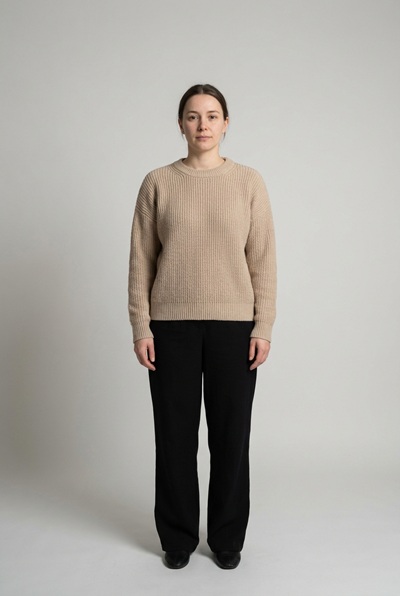
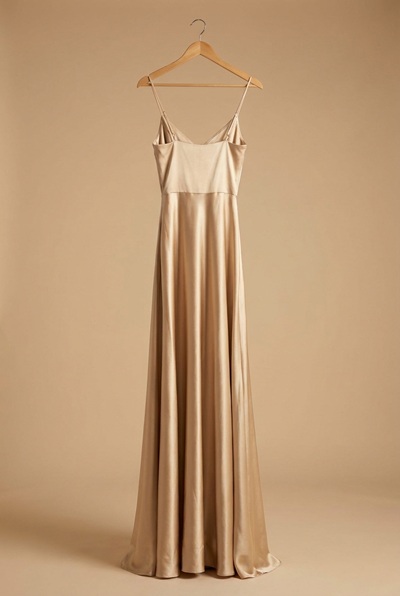
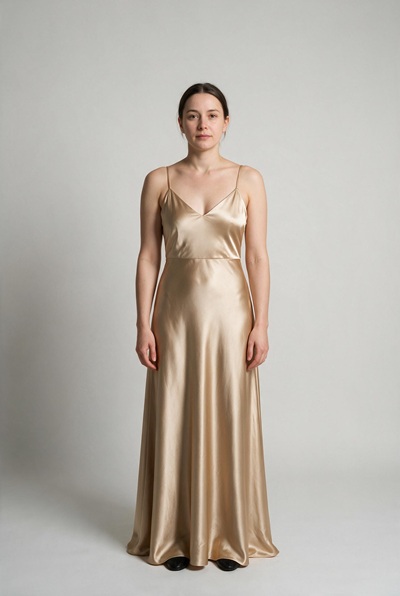
FEATURES
What the clothes changer does for you
Built on models from the FLUX, Nano Banana, GPT Image and Seedream families. You bring the two photos and pick the settings, the tool handles the fitting.
Only the clothes change
The model holds the person's face, pose, body shape and the background steady. The garment from the reference photo is fitted to their body with folds and drape that follow the original lighting.
A model for every fit
Some models balance garment detail and realism, some reach the largest sizes, and some are tuned for portraits. Run the same two photos through two models and keep the better fit.
Output up to 4K
Depending on the model, results render at up to 4K, which keeps fabric texture readable on large displays and in print. The selector only lists what the current model can deliver.
Full-quality downloads
The result shown after generation is the actual file. The Download button saves the same full-resolution image of the new outfit, without a watermark.
Pay per result, refunded on failure
An outfit change costs the credits shown before you click. If a run fails on our side, the credits return to your balance automatically.
Nothing to install
There is no app or plugin to install. The fitting runs on our servers, and the page works in any modern browser, on phones, tablets and desktops.
ABOUT OUTFIT CHANGES
What changing clothes in a photo means, and how this tool does it
Changing clothes in a photo means taking a garment from one image and putting it on the person in another. A wardrobe photo or a product listing becomes a fitting room: you see how a jacket, a dress or a uniform might look on someone without anyone wearing it.
This AI clothes changer sends both photos to a generative model. The model reads the garment's cut, color and fabric from the reference photo, then renders it onto the person while holding their face, pose and the rest of the scene steady. Shadows, folds and drape are painted to match the light in the original photo, which is what makes the result read as one picture instead of a collage.
It helps to know the honest limits. Fine prints, small logos and sheer fabrics can drift from the reference. Hands, hair or accessories that cover clothing in the original photo are hard to dress around, and a garment photographed crumpled or half-hidden gives the model little to read. Treat the result as a faithful preview of style and fit, not a guarantee of how the real garment hangs.
That makes the tool most useful where a quick visual answer matters: checking an outfit idea before buying, producing on-model photos for a listing without a shoot, or mocking up styling concepts for clients. For anything that needs exact product detail, compare the result against the reference photo before you rely on it.
TIPS
Get more convincing outfit changes
The two photos you choose matter more than any setting.
- 01
Use a clear, front-facing photo of the person
The model can only dress what it can see. A standing, front-facing photo with the current clothes fully visible gives the cleanest base.
- 02
Show the garment clearly in the reference
Flat lays, hanger shots and on-model photos all work, as long as the whole garment is visible and not crumpled, folded or covered by other clothes.
- 03
Match the coverage roughly
Putting a long coat onto a photo of a tank top means the model has to invent bare arms and shoulders. Similar coverage between the old and new outfit blends better.
- 04
Keep the angles aligned
A garment photographed straight-on fits a front-facing person best. Mixing a side view of a jacket with a front view of a person forces the model to guess the missing side.
- 05
Check prints, logos and buttons at full size
Small garment details are generated, not copied pixel by pixel. Use the comparison slider and zoom in before using the result for a listing or an ad.
- 06
Change one setting at a time
When models give different fits, rerun with only the model changed: same photos, same resolution, same format. Otherwise the comparison tells you nothing.
FAQ
Frequently asked questions
Which image formats can I upload?
PNG, JPG, JPEG and WebP, up to 5MB per file, for both photos. For the result you can choose PNG or JPEG output; the exact options depend on the model you selected.
Why do I need two photos, and which goes where?
The first slot takes the photo of the person, the second takes the photo that shows the outfit. The model keeps everything from the first photo except the clothes, which it takes from the second. Swapping the order produces a different result, so check the labels above each slot.
How much does one generation cost?
Each generation costs credits, and the exact amount is shown next to the Change Outfit button before you click, together with your remaining balance. Because the model reads two images instead of one, the price is twice that of the single-image tools on the same model. New accounts receive free credits and the daily check-in adds more; both count toward outfit changes.
What happens if a generation fails?
A failed run does not cost you: when the failure is on our side, the credits return to your balance automatically. No refund request is needed.
Does it work with any garment?
Most everyday garments work well: shirts, jackets, dresses, coats, uniforms. Very sheer fabrics, complex layered outfits and garments covered by hands, hair or accessories are harder, and the result there can look approximate. Try it and judge the preview at full size.
Will it change the person's face or the background?
The model is instructed to change only the clothing and to keep the face, pose, body and background as they are. Fine garment details are still generated, so check prints, logos and text at full size before using the result anywhere important.
Does the downloaded image have a watermark?
No. The result on the page and the file behind the Download button are the same full-resolution image, and neither has a watermark.
Are my uploaded photos private?
Both photos, the person and the outfit, are processed to deliver and improve the service and are never made public. Retention details are in our Privacy Policy.
Who owns the generated images, and what photos may I upload?
You own the outputs generated for your account, subject to our Terms of Service. Only upload photos you own or have permission to use, both the person's photo and the outfit photo. Review each output before relying on it: like any AI-generated image, it can contain artifacts, and suitability for a specific use is your call.
Can I create NSFW or adult content on this site?
No. Generating or editing NSFW, sexually explicit, or adult content is strictly prohibited on this site, as stated in our Terms of Service. Accounts that violate this policy may be suspended or terminated.
WARDROBE MEMBERSHIP
Try more outfit changes on a flat rate
A monthly credit allowance covers outfit changes and everything else on the site. It renews each billing period, and unused credits expire when the membership ends.
Membership
Recommended
Standard Membership
1,000credits/month
$4.99/month
≈ 333 images
≈ 35 flagship images
For weekly creators and side projects.
What's included
Fresh credits every period New credits land at the start of each billing period.
Credits last while you're a member Unused credits stay on your balance while the membership is active and expire when it ends.
Every tool, one balance Image and video tools draw from the same credit balance.
Commercial use included Generated images and videos are yours to use in commercial projects, within our terms.
8+ image models, 5+ video models Nano Banana, FLUX, GPT Image, Seedream, Seedance and more, all on the same balance.
Manage it from this page Upgrade or cancel right here, without emailing support.
No lock-in · cancel any time
Membership
Pro Membership
5,000credits/month
$19.99/month
≈ 1,666 images
≈ 178 flagship images
For daily image and video production.
What's included
Fresh credits every period New credits land at the start of each billing period.
Credits last while you're a member Unused credits stay on your balance while the membership is active and expire when it ends.
Every tool, one balance Image and video tools draw from the same credit balance.
Commercial use included Generated images and videos are yours to use in commercial projects, within our terms.
8+ image models, 5+ video models Nano Banana, FLUX, GPT Image, Seedream, Seedance and more, all on the same balance.
Manage it from this page Upgrade or cancel right here, without emailing support.
No lock-in · cancel any time
Credits stay valid while your membership is active; unused membership credits expire when the membership ends.
PRICING
Try more outfits
Credits are shared across all tools, so the same balance covers every outfit change. Buy a one-time pack or subscribe, and credits stay in your account while it is active.
One-time pack
Starter Pack
100credits
$1.99
≈ 33 images
≈ 3 flagship images
A quick test run.
One payment · never expires
One-time pack
Basic Pack
300credits
$4.99
≈ 100 images
≈ 10 flagship images
A week of thumbnails, touch-ups and short videos.
One payment · never expires
One-time pack
Most popular
Standard Pack
700credits
$9.99
≈ 233 images
≈ 25 flagship images
A full set of images for a launch, plus the videos that go with it.
One payment · never expires
One-time pack
Pro Pack
1,600credits
$19.99
≈ 533 images
≈ 57 flagship images
Batch season. Whole catalogs and the videos that sell them.
One payment · never expires