
AI HDR Photo Converter Free: Convert Photos to HDR Online
A free AI HDR photo converter that runs in your browser: upload a JPG, PNG or WebP photo, choose a model and resolution, and download a balanced HDR image. New accounts get free credits, and most conversions finish in 30 to 60 seconds.
Upload Your Image
Drag and drop your image here, or click to browse
Supports PNG, JPG, JPEG, WebP (max 5MB)
HOW IT WORKS
How to convert a photo to HDR for free
Everything happens on this page. Your photo is processed on our servers, so there is nothing to install and nothing to update.
- 01
Upload a photo
Drop a JPG, PNG or WebP file onto the panel above, or click to browse. Anything up to 5MB works, and the original file from your camera or phone converts better than a copy saved from a chat app.
- 02
Pick a model and output settings
Choose an AI model, a resolution and an output format. The selector only offers combinations the chosen model can actually deliver.
- 03
Convert and download
Sign in, hit generate, and give it 30 to 60 seconds. Your first conversion is covered by the sign-up credits plus the daily check-in. Drag the slider to compare, then save the full-quality file.
BEFORE AND AFTER
Photos converted to HDR, side by side
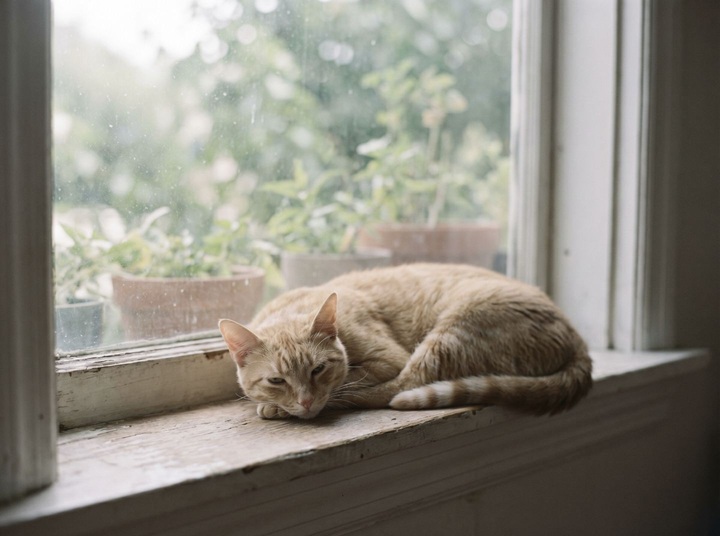
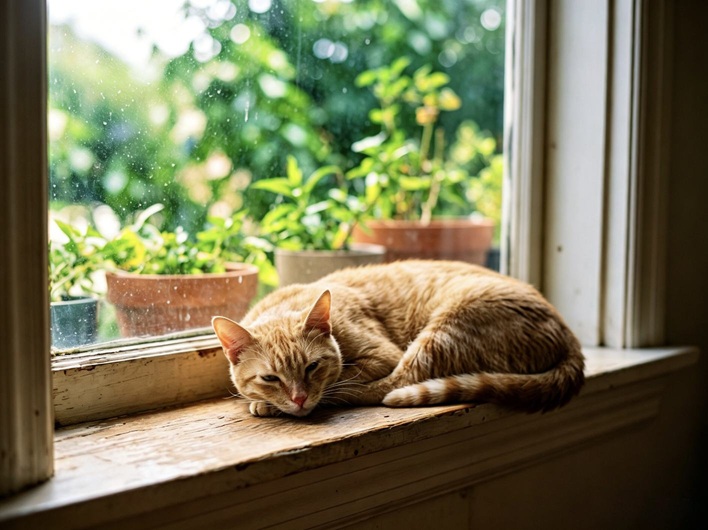
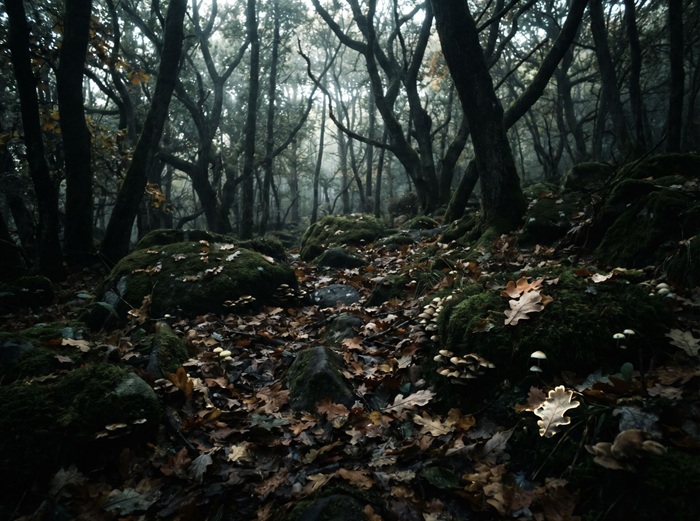
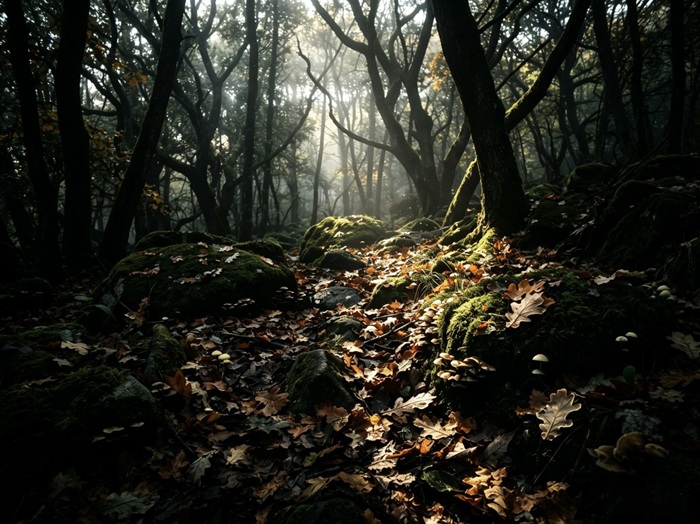
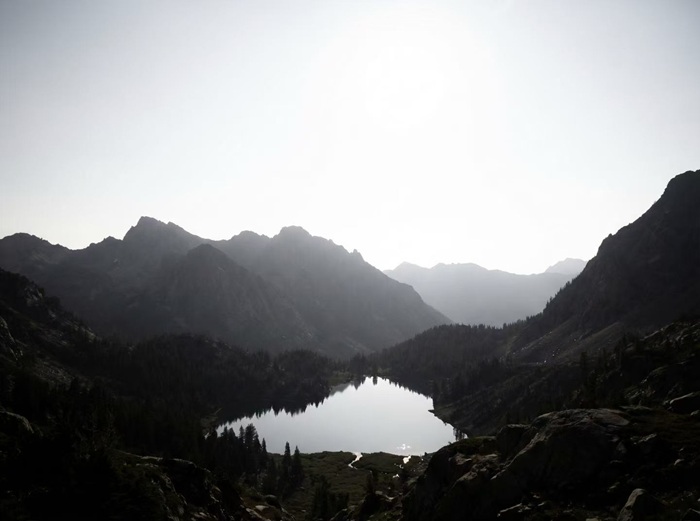
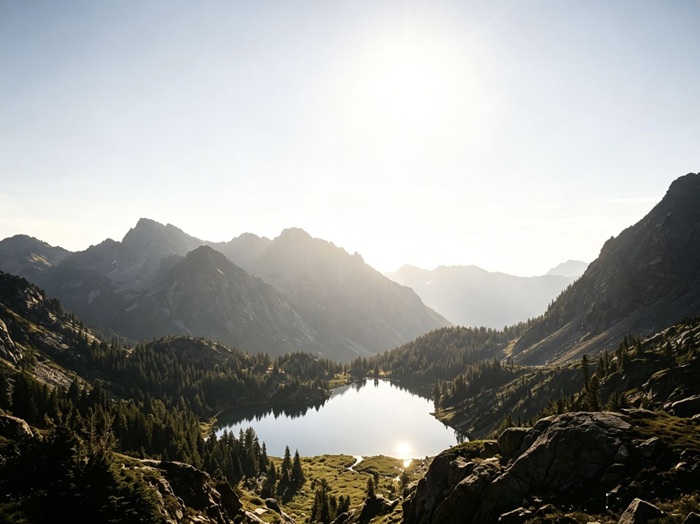
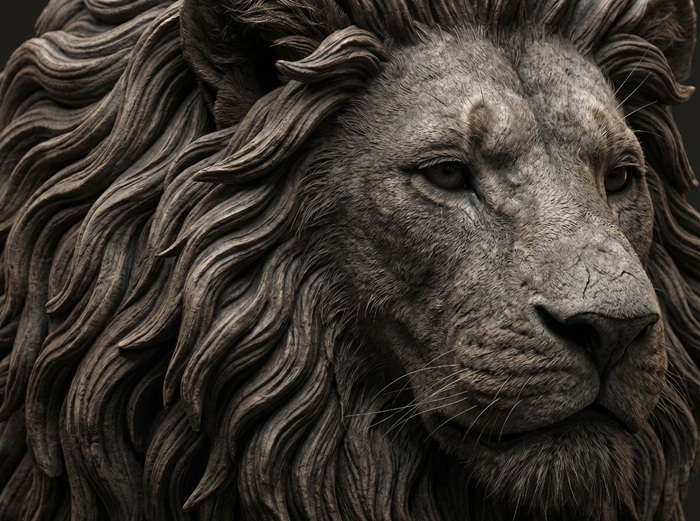
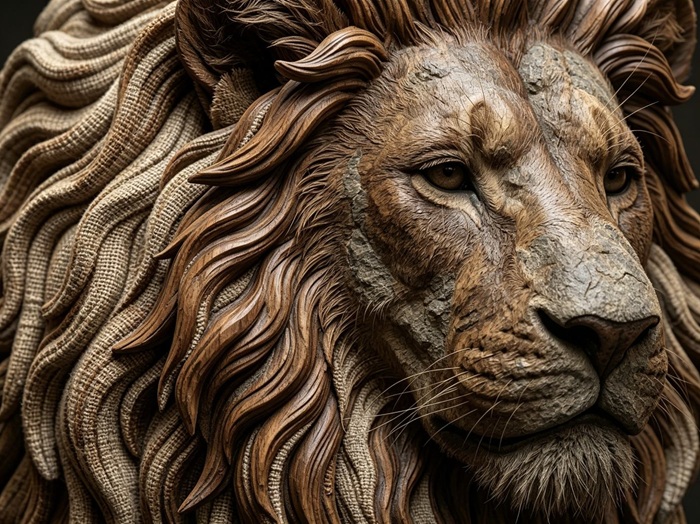
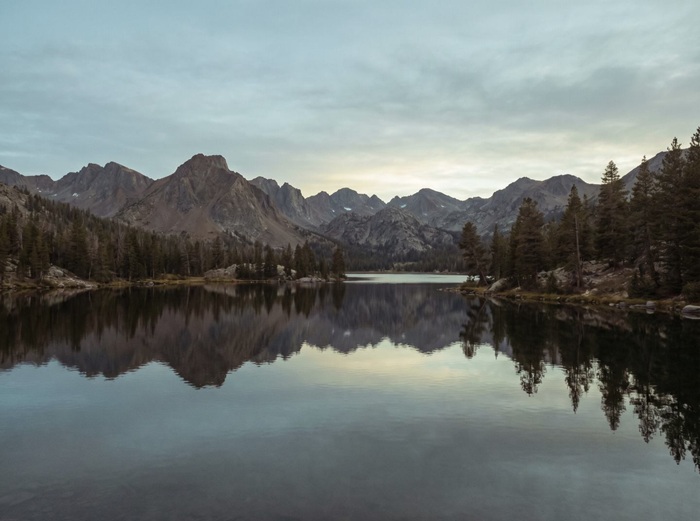
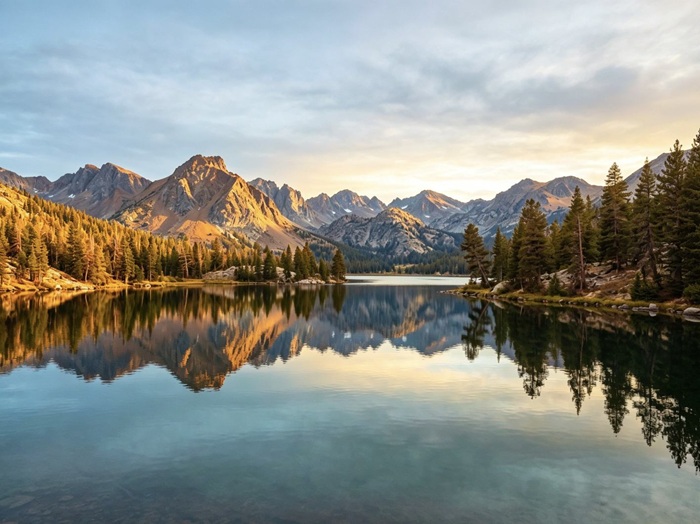
Every pair below started as an ordinary single exposure. Drag the handle to see what the converter recovered. No manual retouching was involved.
WHY THIS CONVERTER
A free HDR converter that does the whole job
Free to start, honest about limits, and running on the same AI models that power the rest of this site.
Free to start
Every new account gets free credits, and the daily check-in adds more — together they cover your first conversion. The exact price shows next to the generate button before you click.
Real dynamic range reconstruction
The model rebuilds the tonal range of the scene instead of dragging a brightness slider. Shadows open up and highlights settle down in the same pass.
JPG, PNG and WebP in, PNG or JPEG out
Upload any common photo format up to 5MB, then pick the output format that suits the destination. Less compressed originals convert better.
Models to compare
Some models balance light best, others reach the highest resolutions, and some flatter portraits. Converting the same photo with two models and keeping the better run costs only a few extra credits.
Output up to 4K
Choose 2K for web pages and social feeds, or switch to a model that offers 3K and 4K when the photo is headed for print or a large screen.
Full-quality downloads, no watermark
The preview you compare on the page is the file you download: full resolution, no watermark, ready to publish.
ABOUT THE CONVERTER
Why photos need HDR conversion in the first place
A camera exposes for one thing at a time. Meter for the sky and the room goes dark; meter for the room and the window turns into a white rectangle. That tradeoff sits inside every single-exposure photo ever taken.
Real estate listings make it obvious: interiors with blown-out windows. Travel photos show it too, like the sunset that looked golden in person and muddy in the gallery. Product shots, wedding albums, old scans. The pattern is the same: detail existed at both ends of the scene, and the file kept only one.
This free converter starts from the photo you already have. A generative model reads the scene, infers what the clipped shadows and highlights plausibly contained, and returns a new, balanced image. It works on photos taken years before HDR phones existed, which camera-based HDR cannot do.
One honest caveat: the output is a reconstruction, not a measurement. For listings, social posts, prints and everyday albums it is usually exactly what you wanted. For work that demands physically accurate light, shooting bracketed exposures is still the right method.
TIPS
Convert photos that come out better
The converter does the heavy lifting. These choices still shape the result.
- 01
Use the original file, not a forwarded copy
Photos saved from messaging apps and social feeds are recompressed and stripped of detail. The file straight from the camera roll gives the model far more to work with.
- 02
Very dark photos are the best candidates
An underexposed shot with a buried subject improves more dramatically than a well-exposed one. If a photo looks hopeless, that is exactly the kind worth a free try.
- 03
Skip photos that already went through HDR
Running an HDR-processed image through the converter again doubles the effect: halos, crunchy texture, oversaturated skies. Convert the flat original instead.
- 04
Match the output resolution to the destination
2K is plenty for listings and feeds. For prints and large displays, pick a model and setting that offer 3K or 4K so recovered detail survives the enlargement.
- 05
Try a second model before giving up
Each model balances light a little differently. If the first conversion looks off, one more run with another model usually settles it.
- 06
Check edges at full size before publishing
Hairlines, window frames and foliage are where artifacts show first. Drag the comparison slider and look there before the photo goes live.
FAQ
Questions about the free HDR converter
Is this AI HDR photo converter really free?
Yes, to start. New accounts receive free credits, and the daily check-in adds more — together they cover your first conversion. The price of each run appears next to the generate button before you click. When the free credits run out, you can buy credit packs or subscribe to a membership for a monthly allowance. Packs stay valid while your account is active.
Do I need to sign up to convert a photo?
You can open the page, upload a photo and explore the settings without an account. A free sign-in is only needed when you generate, because credits and your result history are tied to your account.
What photo formats does the converter accept?
JPG, JPEG, PNG and WebP up to 5MB. Output is PNG or JPEG depending on the model you pick. The less compressed the upload, the more light information the model has to reconstruct.
How long does a conversion take?
Most conversions finish in 30 to 60 seconds. Your photo is processed on our servers, so the speed does not depend on your device.
Is there a watermark on the downloaded HDR photo?
No. The file you download is the same full-resolution result you preview on the page, with no watermark on either.
How is this page different from the HDR Enhancer?
It is the same conversion engine, presented for people looking for a free photo converter. The main HDR Enhancer page goes deeper into models and settings.
Can I use the converted photos commercially?
The HDR images generated for your account are yours under our Terms of Service. Because the result is a reconstruction, check it at full size before print or commercial use.
Are my uploaded photos kept private?
Photos you upload are processed to deliver and improve the service, and they are never made public. Storage and retention details are in our Privacy Policy.
How is this different from my phone's HDR mode?
Phone HDR merges several exposures captured in the same instant, before the photo exists. This converter works on a single existing photo, so it can also fix pictures taken years ago on devices without HDR.
What happens if a conversion fails?
A failed run costs nothing. When the failure is on our side, the credits return to your balance automatically, with no form to fill and no ticket to open.
GO FURTHER
A steadier way to convert once the free credits run out
Free credits get you started. A membership puts a fresh allowance on your balance every cycle, so HDR conversion keeps moving without buying a pack each time.
Membership
Recommended
Standard Membership
1,000credits/month
$4.99/month
≈ 333 images
≈ 35 flagship images
For weekly creators and side projects.
What's included
Fresh credits every period New credits land at the start of each billing period.
Credits last while you're a member Unused credits stay on your balance while the membership is active and expire when it ends.
Every tool, one balance Image and video tools draw from the same credit balance.
Commercial use included Generated images and videos are yours to use in commercial projects, within our terms.
8+ image models, 5+ video models Nano Banana, FLUX, GPT Image, Seedream, Seedance and more, all on the same balance.
Manage it from this page Upgrade or cancel right here, without emailing support.
No lock-in · cancel any time
Membership
Pro Membership
5,000credits/month
$19.99/month
≈ 1,666 images
≈ 178 flagship images
For daily image and video production.
What's included
Fresh credits every period New credits land at the start of each billing period.
Credits last while you're a member Unused credits stay on your balance while the membership is active and expire when it ends.
Every tool, one balance Image and video tools draw from the same credit balance.
Commercial use included Generated images and videos are yours to use in commercial projects, within our terms.
8+ image models, 5+ video models Nano Banana, FLUX, GPT Image, Seedream, Seedance and more, all on the same balance.
Manage it from this page Upgrade or cancel right here, without emailing support.
No lock-in · cancel any time
Credits stay valid while your membership is active; unused membership credits expire when the membership ends.
PRICING
Keep converting
Sign-up credits plus the daily check-in cover your first conversion. After that, you can buy a one-time pack or subscribe for a monthly allowance. Credits stay valid while your account is active, and the same balance works in every tool on the site.
One-time pack
Starter Pack
100credits
$1.99
≈ 33 images
≈ 3 flagship images
A quick test run.
One payment · never expires
One-time pack
Basic Pack
300credits
$4.99
≈ 100 images
≈ 10 flagship images
A week of thumbnails, touch-ups and short videos.
One payment · never expires
One-time pack
Most popular
Standard Pack
700credits
$9.99
≈ 233 images
≈ 25 flagship images
A full set of images for a launch, plus the videos that go with it.
One payment · never expires
One-time pack
Pro Pack
1,600credits
$19.99
≈ 533 images
≈ 57 flagship images
Batch season. Whole catalogs and the videos that sell them.
One payment · never expires