
Free HDR Photo Enhancer: Convert JPG to HDR with AI
Convert JPG, PNG, or WebP photos to HDR online: upload a photo and AI rebuilds the detail in its shadows and highlights in a single pass. New accounts start with free credits, and the same balance works across every tool on this site.
Upload Your Image
Drag and drop your image here, or click to browse
Supports PNG, JPG, JPEG, WebP (max 5MB)
PRICING
Packs from $1.99, memberships from $4.99/month
One balance pays for every tool on the site. Buy a one-time pack, or subscribe for credits that refill each month.
One-time pack
Starter Pack
100credits
$1.99
≈ 33 images
≈ 3 flagship images
One payment · never expires
One-time pack
Basic Pack
300credits
$4.99
≈ 100 images
≈ 10 flagship images
One payment · never expires
Membership
Recommended
Standard Membership
1,000credits/month
$4.99/month
≈ 333 images
≈ 35 flagship images
No lock-in · cancel any time
Membership
Pro Membership
5,000credits/month
$19.99/month
≈ 1,666 images
≈ 178 flagship images
No lock-in · cancel any time
BEFORE AND AFTER
See what changes after one click
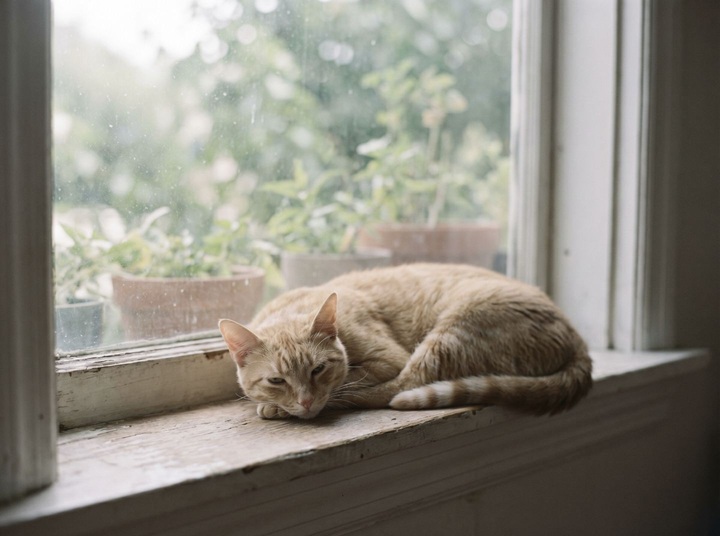
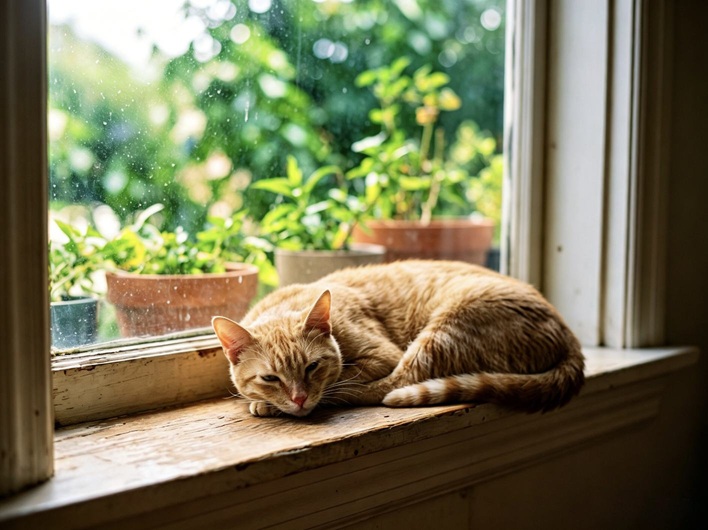
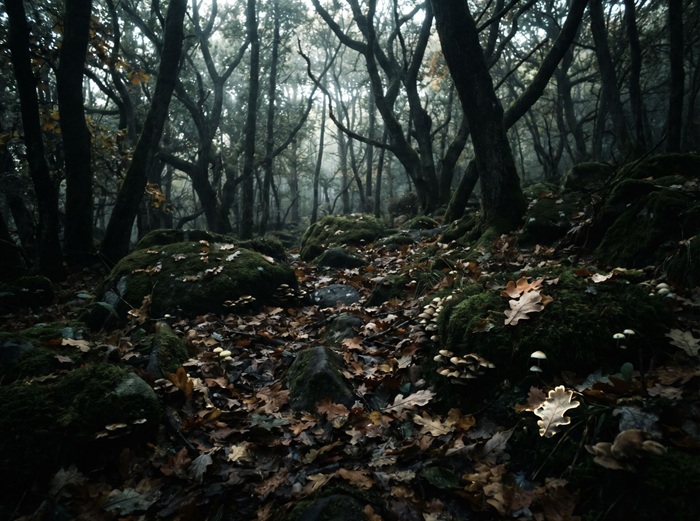
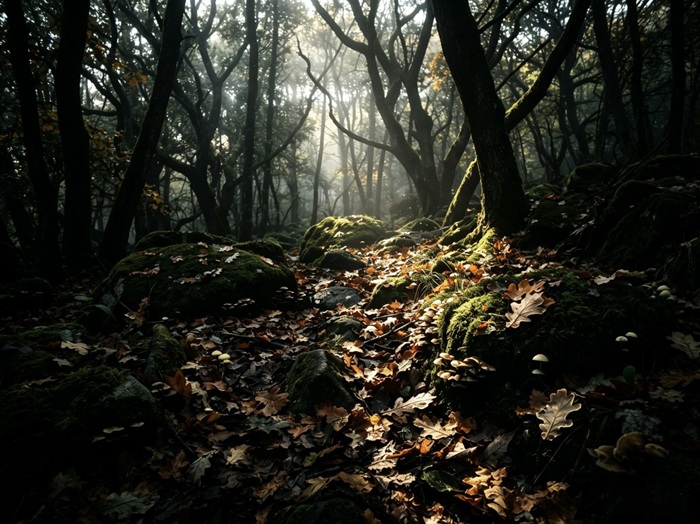
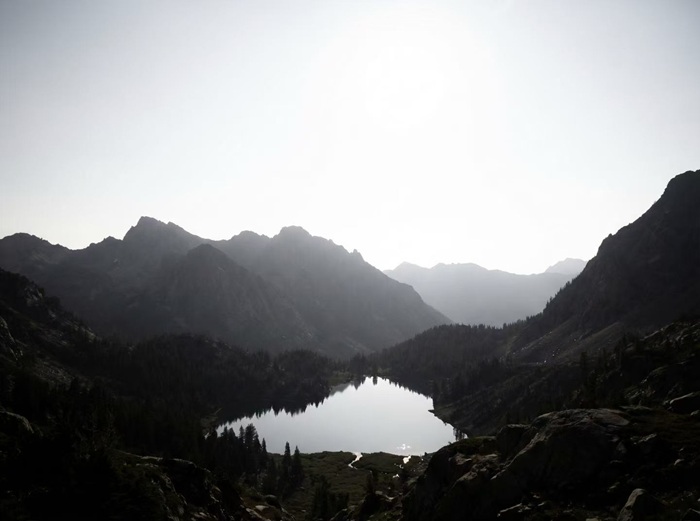
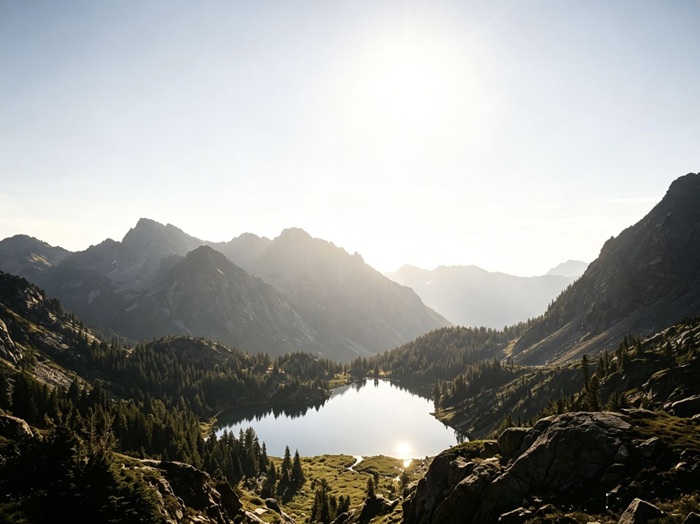
Two examples from the HDR Enhancer. Drag the handle on each card to compare the original with the generated result; the full sample set is on the tool page.
GETTING STARTED
Three steps to your first HDR image
The whole process happens on this page, from upload to download.
- 01
Add your photo
Drop a PNG, JPG or WebP file onto the panel above, or click to browse. Files up to 5MB work, and a clean original beats a screenshot from a chat app.
- 02
Choose a model and resolution
Pick an AI model, resolution and output format. The selectors only offer combinations the current model supports.
- 03
Generate, compare, save
Sign in, then hit generate. Results usually land in 30 to 60 seconds. Compare the two versions with the slider and save the one you like in full quality.
AI IMAGE TOOLS
One account covers every tool
HDR enhancement is the main tool here. The same account and credit balance work in every tool.
Image Generator
Turn a text prompt into images
Open toolAI Image Editor
Point, mark, and edit with words
Open toolHDR Enhancer
Reconstruct light and detail in a photo
Open toolImage Upscaler
Improve image quality and clarity
Open toolClothes Changer
Try a new outfit on a photo
Open toolObject Remover
Paint over anything you want gone
Open toolBackground Remover
Keep the subject, erase the background
Open toolWHY THIS SITE
What stays the same across every tool
Every tool shares one account and one credit balance, with the same rules on pricing and refunds.
8+ image models inside
Every tool runs on models from the FLUX, Nano Banana, GPT Image and Seedream families. Switch models from the panel and the available resolutions, formats and credit costs update to match.
Reconstruction, not a filter
The models study the scene and rebuild tonal range and detail. The output is a new image, not your original with the sliders pushed.
Free credits to start
New accounts get free credits on sign up. After that, the cost of each run is shown next to the button before you click, and a run that fails on our side refunds automatically.
Resolution up to 4K
Several models render at 3K or 4K, enough for large prints and tight crops.
Works in any browser
There is nothing to install: no app, plugin or desktop software. Every tool works in a modern browser on any device, and the images are processed on our servers.
Downloads without watermarks
Previews are compressed for speed, but what you save is always the full-resolution file, with no watermark.
ABOUT THE SITE
How this site works
Free HDR Photo Enhancer is a small set of AI image tools running on models from the FLUX, Nano Banana, GPT Image and Seedream families. One account and one credit balance cover everything on the site.
The site is a growing set of image tools. An HDR tool rebuilds the detail in a photo's highlights and shadows; an upscaler redraws a small image at higher resolution, up to 4K on some models; a clothes changer puts an outfit from one photo onto the person in another; an object remover paints over something you want gone and rebuilds the background behind it; and a background remover cuts a subject out to a transparent PNG. More tools are added over time, and one account and one credit balance cover all of them.
Pricing works the same way in every tool. New accounts start with free credits, each generation shows its cost next to the button before you click, and a run that fails on our side refunds automatically. Purchased credits stay in your account while it is active.
Every result here is generated by a model, so it is a plausible reconstruction rather than a recovered original. For listings, social posts and everyday photos that is usually exactly what you need, but check any result at full size before you rely on it.
FROM THE BLOG
Guides on HDR and AI imaging
AI Image Prompts for Real Estate Photography
Real estate photo prompts that actually work: the light, camera and material wording behind convincing AI interiors and exteriors, with examples and recipes.
September 9, 2026 · 7 min read
Read moreHow to Remove Unwanted Objects From Listing Photos
How to remove unwanted objects from listing photos: what clutter is fair to clean up, where the honesty line sits, and the right order with HDR enhancement.
September 5, 2026 · 7 min read
Read moreHow to Make HDR Photos on Android: Settings and Fixes
How HDR works on Android phones with HDR+ and other camera systems, what you can control while shooting, and how to convert an existing photo to HDR.
September 1, 2026 · 7 min read
Read moreFAQ
Common questions about the site
Is the site free to use?
New accounts receive free credits, and the daily check-in adds more — together they cover your first run. After that, each generation costs the credits shown next to the Generate button before you click, and a run that fails on our side refunds automatically. Credit packs and membership plans are listed on the Pricing page.
Do purchased credits expire?
Credits from one-time purchases stay in your account while it is active, so you can buy a pack or subscribe and spend at your own pace. The Pricing page has the details.
What other tools are on this site?
The site is a growing set of image tools. Besides the HDR enhancer, there is an image upscaler for higher resolution, a clothes changer that previews outfits on a photo, an object remover that paints objects out of a photo, and a background remover that cuts a subject out to a transparent PNG — and more are added over time. One account and one credit balance cover all of them.
Is there anything to install?
No. There is nothing to install. Every tool works in a modern browser, and the images are processed on our servers.
Who can see my uploaded photos?
Uploads are processed to deliver and improve the service, and they are never made public or shown to other users. Retention details are in our Privacy Policy.
Can I use the results commercially?
Commercial use is allowed. Outputs generated for your account are yours, under our Terms of Service. Check each image before you rely on it, because AI results can carry artifacts.
Do failed generations cost credits?
No. If a run fails on our side, its credits return to your balance automatically, with nothing to claim. Details are on the Pricing page.
Can I create NSFW or adult content on this site?
No. Generating or editing NSFW, sexually explicit, or adult content is strictly prohibited on this site, as stated in our Terms of Service. Accounts that violate this policy may be suspended or terminated.