
One-Click HDR Conversion: AI HDR Image Converter
The AI HDR converter for your photos: upload an image, choose an AI model, resolution and format, and let AI rebuild the dynamic range. Results usually take 30 to 60 seconds.
Upload Your Image
Drag and drop your image here, or click to browse
Supports PNG, JPG, JPEG, WebP (max 5MB)
HOW IT WORKS
From photo to HDR in three steps
There is nothing to install: the tool works in any browser, and the images are processed on our servers. You upload the photo, and the model rebuilds the light.
- 01
Upload your photo
Drag a PNG, JPG or WebP file onto the panel, or click to browse. Files up to 5MB are accepted, and the less compressed the original, the better the result.
- 02
Pick a model and settings
Choose an AI model, then set the resolution and output format. For HDR, the higher resolutions keep recovered shadow detail clean in large prints. The selector only lists combinations the current model supports, up to 4K on some models.
- 03
Generate and download
Sign in and generate. Most results are ready in 30 to 60 seconds. Compare before and after with the slider, then download the full-quality file.
SAMPLES
What HDR enhancement actually changes
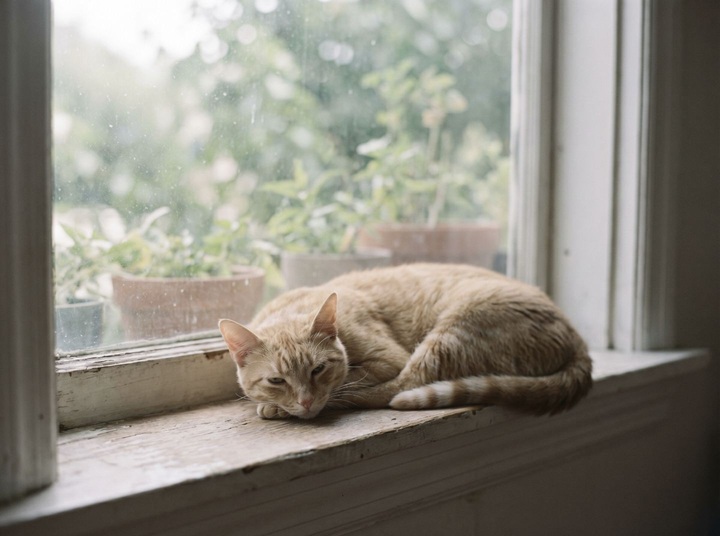
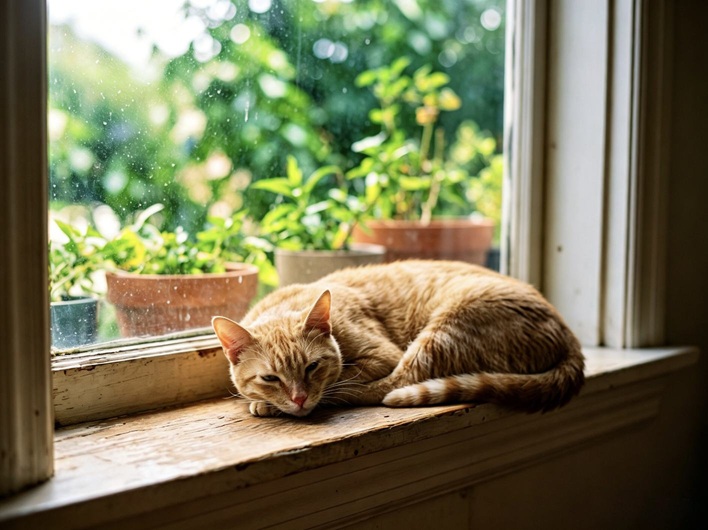
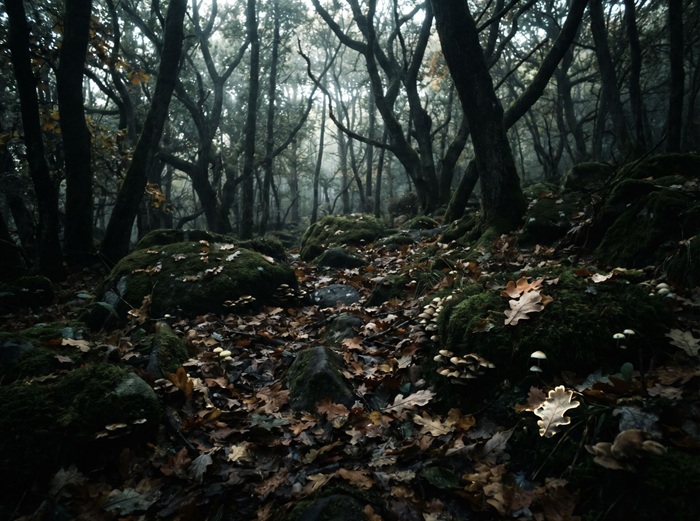
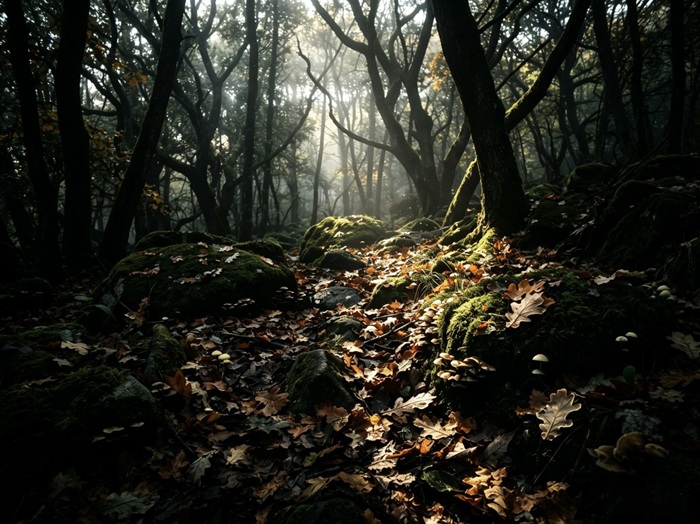
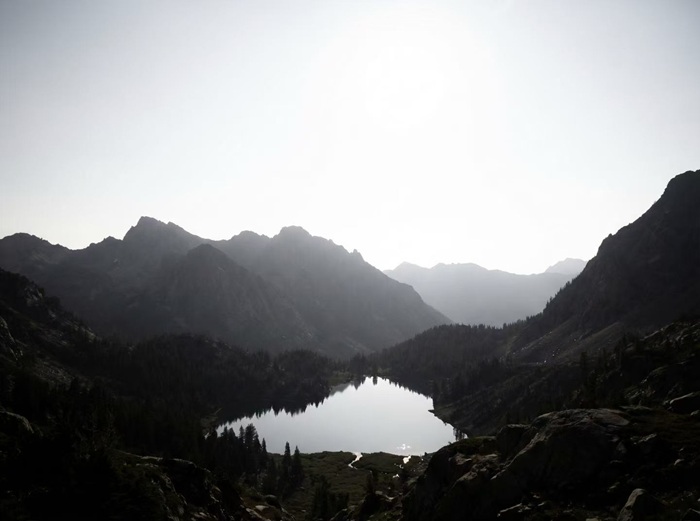
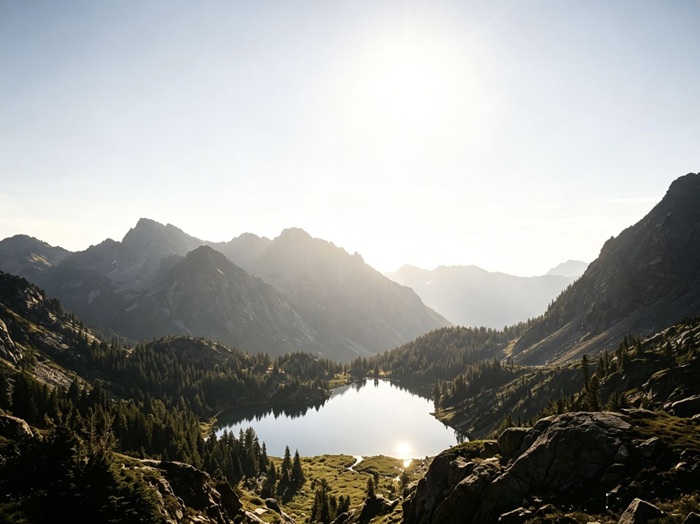
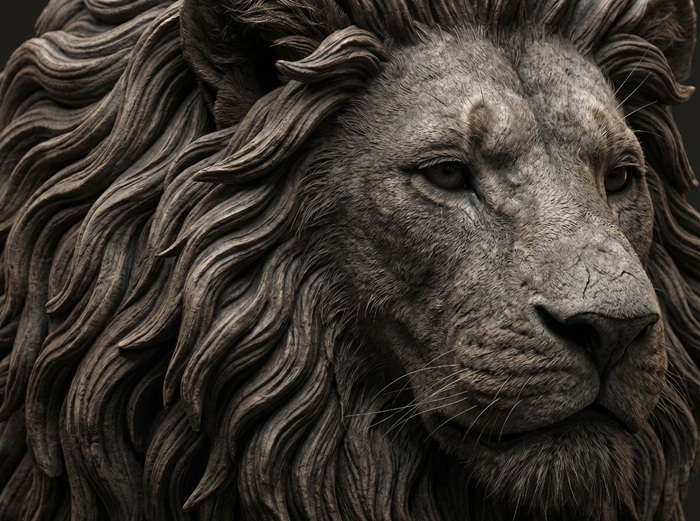
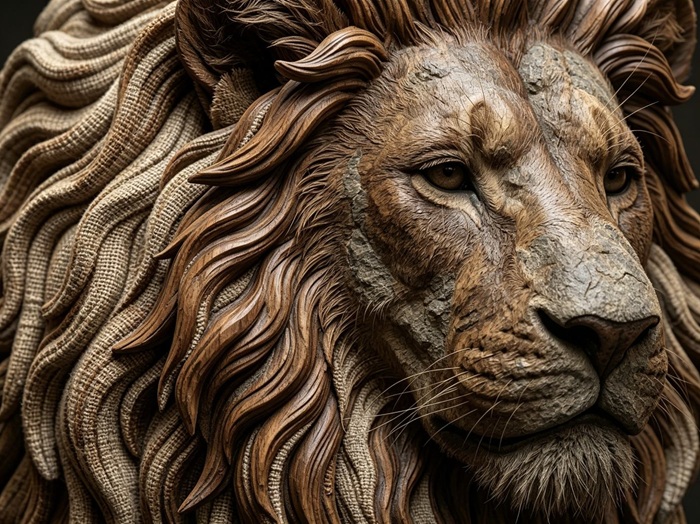
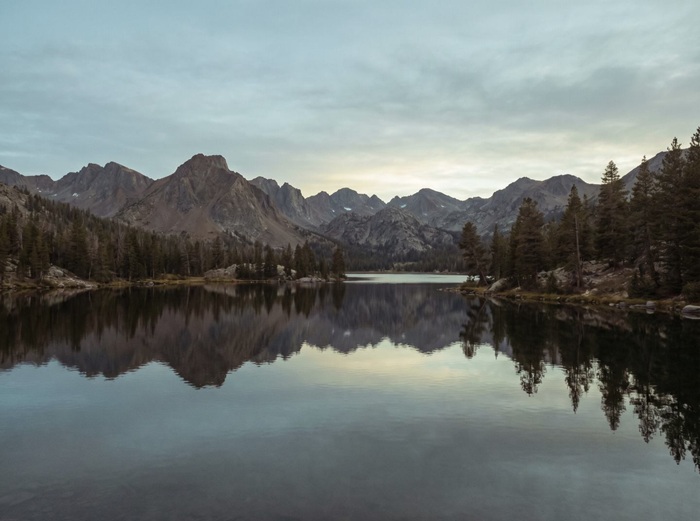
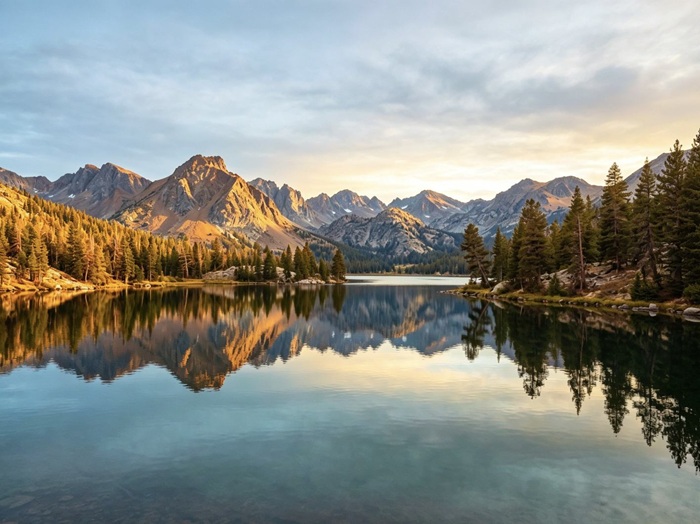
Drag the handle on each pair. Every after image was produced from the before image by the HDR model, with no manual retouching.
FEATURES
What the enhancer does for you
Powered by models from the FLUX, Nano Banana, GPT Image and Seedream families, with the settings exposed and the rest handled for you.
Dynamic range reconstruction
The model rebuilds the tonal range of the scene instead of stretching brightness. Shadow detail and highlights come back in the same pass.
A model for every photo
Some models balance light best, some reach the highest resolutions, and some flatter portraits and cinematic scenes. Run the same photo through two models and keep the better conversion.
Output up to 4K
Depending on the model, HDR results render at up to 4K, enough for large prints and tight crops. The selector only lists combinations the current model can deliver.
Full-quality downloads
What you see after generation is the actual result. The Download HDR button saves the same full-resolution file, with no watermark.
Pay per result, refunded on failure
Each HDR conversion costs the credits shown before you click. If a run fails on our side, those credits return to your balance automatically.
Nothing to install
There is nothing to install or update. The page works in any modern browser, and the processing runs on our servers.
ABOUT HDR
What HDR is, and what this tool does with it
HDR, short for high dynamic range, describes images that keep detail in the darkest shadows and the brightest highlights at the same time. A single phone exposure usually sacrifices one end: expose for the sky and the room goes black, expose for the room and the window blows out.
Classic HDR photography works around this by bracketing: the camera takes several exposures of the same scene and merges them. That needs a tripod, a static subject and planning before the moment passes. Most photos people actually own were taken as one frame, and no merge is possible afterwards.
This AI HDR converter starts from the single frame you already have. A generative model studies the scene, infers plausible detail where the sensor clipped, rebalances the lighting and returns a new image rather than a filtered copy of the original.
The result is a reconstruction, not a measurement of the scene the way a bracketed merge is. For web publishing, listings, social posts and everyday photos, it gives you a balanced image without a reshoot. For work that demands physically accurate light, shooting brackets is still the right method.
TIPS
Get better results from your uploads
Small choices before and during generation make most of the difference.
- 01
Start with the least-compressed original
Screenshots and photos saved from messaging apps lose detail the model could have used. The file straight out of the camera or phone gives the best result.
- 02
Match the resolution to the destination
2K covers websites and social feeds. If the HDR image is headed for print or a large display, switch to a model that offers 3K or 4K so the recovered detail stays clean.
- 03
Be patient with very dark or very bright sources
When most of the frame sits at one end of the histogram, the model has to invent more of the scene. Results are usually still usable, but trying a second model is worth it if the first looks off.
- 04
Skip photos that are already HDR
Running an HDR-processed image through the tool again tends to double the effect: halos around edges, crunchy texture, oversaturated skies. Use the flat original exposure instead.
- 05
Compare before you download
The before and after slider exists for a reason. Check the edges around hair, windows and foliage at full size; artifacts show up there first.
- 06
Change one setting at a time
If you want to know which model handles the light best, change only the model between runs and leave resolution and format untouched.
FAQ
Frequently asked questions
Which image formats can I upload?
PNG, JPG, JPEG and WebP up to 5MB. Output is PNG or JPEG, and the exact options depend on the model. Whatever the format, a less compressed original gives the HDR model more light information to work with.
Do I need to install anything?
No. There is nothing to install. The page works in any modern browser, and your photo is processed on our servers.
How much does one generation cost?
Each conversion costs credits, and the exact amount appears next to the Generate HDR button before you click, together with your remaining balance. New accounts receive free credits, and the daily check-in adds more — together they cover your first run.
What happens if a generation fails?
A failed run costs nothing: if the failure is on our side, the credits go back to your balance automatically. There is no form to fill and no support ticket to open.
Does the downloaded image have a watermark?
No. The result on the page is the same file you download, at full resolution, with no watermark on either.
Who owns the enhanced images?
The HDR images generated for your account are yours under our Terms of Service. Because the output is a reconstruction, check it at full size before using it in print or commercially.
Are my uploaded photos private?
Photos you upload for conversion are processed to deliver and improve the service, and they are never made public. Storage and retention details are in our Privacy Policy.
Is this the same as the HDR mode on my phone?
Not quite. Phone HDR merges several exposures captured in the same instant. This tool works on a single existing photo and reconstructs the missing range with a generative model, so it also works on old photos shot long before HDR phones existed.
Can I create NSFW or adult content on this site?
No. Generating or editing NSFW, sexually explicit, or adult content is strictly prohibited on this site, as stated in our Terms of Service. Accounts that violate this policy may be suspended or terminated.
HDR MEMBERSHIP
Keep sending photos through HDR
A monthly credit allowance for HDR conversion, refilled every billing period while your subscription is active. The same balance also works in every other tool here.
Membership
Recommended
Standard Membership
1,000credits/month
$4.99/month
≈ 333 images
≈ 35 flagship images
For weekly creators and side projects.
What's included
Fresh credits every period New credits land at the start of each billing period.
Credits last while you're a member Unused credits stay on your balance while the membership is active and expire when it ends.
Every tool, one balance Image and video tools draw from the same credit balance.
Commercial use included Generated images and videos are yours to use in commercial projects, within our terms.
8+ image models, 5+ video models Nano Banana, FLUX, GPT Image, Seedream, Seedance and more, all on the same balance.
Manage it from this page Upgrade or cancel right here, without emailing support.
No lock-in · cancel any time
Membership
Pro Membership
5,000credits/month
$19.99/month
≈ 1,666 images
≈ 178 flagship images
For daily image and video production.
What's included
Fresh credits every period New credits land at the start of each billing period.
Credits last while you're a member Unused credits stay on your balance while the membership is active and expire when it ends.
Every tool, one balance Image and video tools draw from the same credit balance.
Commercial use included Generated images and videos are yours to use in commercial projects, within our terms.
8+ image models, 5+ video models Nano Banana, FLUX, GPT Image, Seedream, Seedance and more, all on the same balance.
Manage it from this page Upgrade or cancel right here, without emailing support.
No lock-in · cancel any time
Credits stay valid while your membership is active; unused membership credits expire when the membership ends.
PRICING
Convert more photos to HDR
Credits are shared across all tools, and each HDR conversion costs only a few of them. Buy a one-time pack or subscribe for a monthly allowance, and credits stay in your account while it is active.
One-time pack
Starter Pack
100credits
$1.99
≈ 33 images
≈ 3 flagship images
A quick test run.
One payment · never expires
One-time pack
Basic Pack
300credits
$4.99
≈ 100 images
≈ 10 flagship images
A week of thumbnails, touch-ups and short videos.
One payment · never expires
One-time pack
Most popular
Standard Pack
700credits
$9.99
≈ 233 images
≈ 25 flagship images
A full set of images for a launch, plus the videos that go with it.
One payment · never expires
One-time pack
Pro Pack
1,600credits
$19.99
≈ 533 images
≈ 57 flagship images
Batch season. Whole catalogs and the videos that sell them.
One payment · never expires